Business WiFi That Actually Works (And Why Yours Doesn't)
A salon owner in Costa Mesa called us because her stylists kept losing the card reader mid-checkout. A client would be standing there, card in hand, and the iPad would spin. It happened a few times a day, always at the chairs farthest from the front desk, where the single router lived behind the reception counter. Her fix had been to wave the iPad in the air until the bars came back. That's not a fix. That's a daily tax on every transaction.
This is the most common network call we get, and the cause is almost always the same. The business is running on a consumer router — the kind that came from the cable company or got bought at a big-box store — and asking it to do a job it was never built for. A home router covers a house with a few phones on it. A salon, a clinic, a restaurant, or a shop is a different animal: more square footage, more walls, more devices, and a checkout system that can't afford to drop.
Why the cable-company box fails a business
The router your internet provider hands you is built to a price and built for a living room. It puts out one WiFi signal from one spot, and that signal weakens fast through commercial walls — especially the kind with metal studs, tile, mirrors, or a stockroom full of inventory between the router and the far end of the space.
So you get the thing every owner describes the same way: full bars at the front, nothing useful at the back. People "solve" it by buying a range extender off Amazon, which roughly halves the speed and creates a second network your phone refuses to hand off to cleanly. Now you've got two weak networks instead of one, and the dead zone in the middle didn't move.
The deeper problem is that a single consumer router has no real way to separate traffic. Your point-of-sale, your cameras, your back-office computer, and every customer scrolling Instagram in your lobby are all on the same flat network, competing for the same airtime and sitting one weak password away from each other.
What a real commercial network looks like
The fix isn't a better single router. It's the right number of access points placed where coverage actually has to be, all running as one network so a device moves through the building without dropping.
A proper small-business setup usually means:
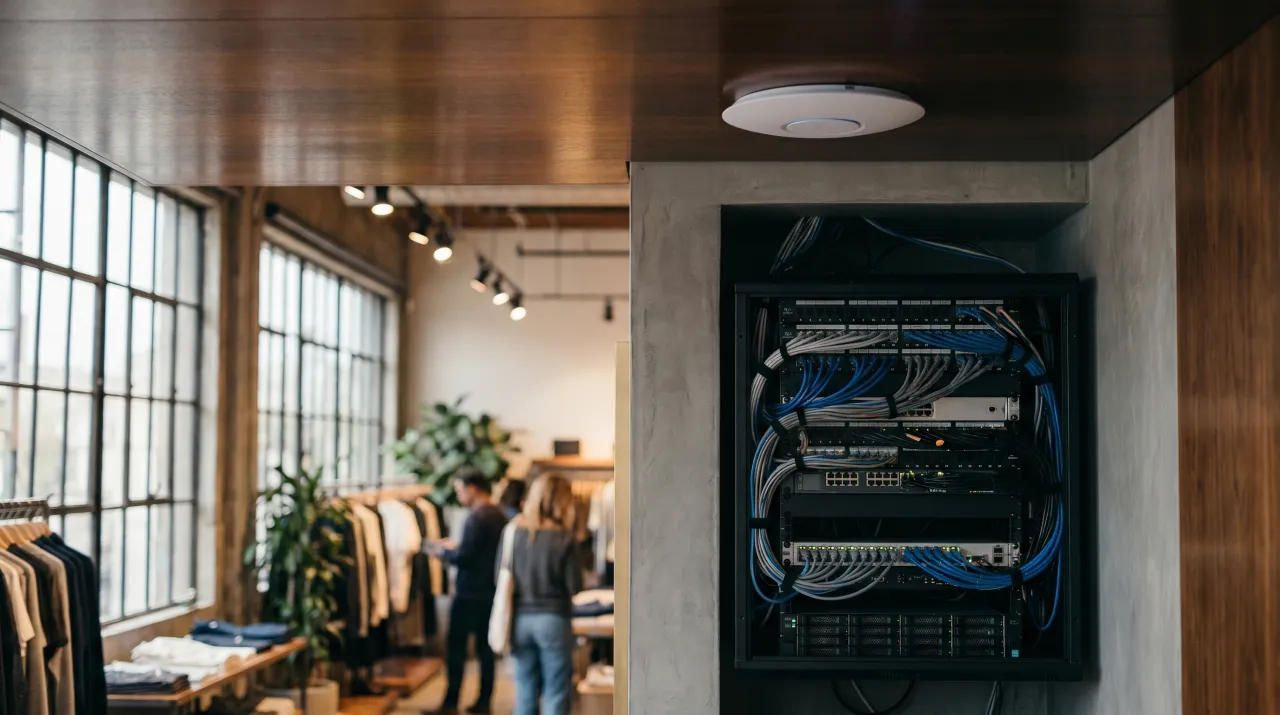
- **Multiple ceiling-mounted access points** instead of one box on a desk, sized and placed for your actual floor plan so there's no dead corner at the far register or the back office.
- **One network the whole building shares**, so a tablet carried from the front counter to the stockroom hands off to the nearest access point instead of clinging to a far-off router.
- **Wired backbone where it counts** — cameras, registers, and the access points themselves run better on a cable than fighting for WiFi airtime. We pull or use existing low-voltage runs so the critical stuff is hardwired.
- **A management layer** that lets us see which access point is loaded, where interference is coming from, and what's actually slowing things down — instead of guessing.
Because we do low-voltage installs already, the network ties into the same cabling that feeds your [cameras and access control](/services). It's one trip, one crew, one coherent system, rather than a network guy and a camera guy blaming each other.
Separate your guest, your POS, and your back office
This is the part most businesses skip, and it's the part that matters most. On a flat network, anything that gets onto your guest WiFi can potentially see your business systems. That's a real exposure, and it's avoidable.
A correctly built network splits traffic into separate lanes:
- **Guest network** for customers. It gets internet and nothing else — it can't see your registers, your cameras, or your office computer. You can cap its speed so a lobby full of people streaming doesn't starve your checkout.
- **Point-of-sale network** that's isolated and prioritized, so a card reader never loses out to someone's video call. This is also a basic expectation for handling card data — your processor would rather your POS not share a network with the public.
- **Back-office and staff network** for your own computers, printers, and files, kept apart from both the public and the payment systems.
- **Camera and device network** so your [security cameras](/blog/ai-camera-alerts-vs-motion-alerts) and access-control hardware sit on their own lane, where they get steady bandwidth and aren't exposed to guest traffic.
Keeping these apart costs nothing extra in hardware on a properly designed system. It's a configuration decision, and a consumer router simply can't make it. This is the single biggest reason "it works at my house" doesn't translate to a business.
Coverage you can actually plan for
Guessing where to put access points is how you end up back where you started. During the site walk we look at the building the way the signal does: where the thick walls are, where the metal and mirrors bounce things around, where the people and devices actually cluster, and where you've felt the dead zones.
A long narrow retail bay, an L-shaped restaurant with a patio, a medical suite with a lot of interior walls, and an open warehouse are four different coverage problems. The patio is the one people forget — outdoor seating needs its own outdoor-rated access point, or your servers are taking orders on a tablet that drops the second they step outside. We plan for the space you actually have, not an average one.
When the network is the security problem
Here's the connection owners don't always make: your cameras and access control live on your network. If the WiFi is flaky, the camera that's supposed to be watching the back door is dropping its feed, and the alert that should reach your phone doesn't. A shaky network quietly undermines the security system you paid for.
That's why we treat the network as foundation, not an afterthought. When the cameras, the access control, and the registers all sit on a stable, properly segmented network, the whole system gets more reliable at once. We see this constantly in [Newport Beach](/security-cameras-newport-beach) and across the county — the businesses with rock-solid security almost always have a real network underneath it, and the ones with mysterious camera dropouts almost always have a cable-company box doing too many jobs.
What it costs and how we scope it
There's no flat price, because coverage depends on your square footage, your walls, and how many devices you're really running. A small single-room shop might need two access points. A multi-room clinic or a restaurant with a patio needs more, plus the wired runs to support them. We quote per site after the free walk so you're paying for coverage that reaches the far register, not a guess that leaves you waving an iPad in the air.
If your WiFi dies at the back of the building, drops your card reader, or has customers sitting on the same network as your books, that's fixable. [Book a free site walk](/get-started) and we'll map where the dead zones are and what it takes to kill them. You can also see [everything we install](/services) — the network is usually the piece that makes the rest of it work.
Get in touch with WERKSTATT OC — Commercial security and low-voltage for businesses across Orange County.